We make AI usable in your company

Limitless. Intelligent.

Logo von skai
SharePoint
Confluence
OneDrive OneDrive
Google Drive
Outlook
Webseiten
Word
Excel
PDF
Dateien
0 +
Knowledge source types
0
Workflow building blocks
0 +
AI providers
0 +
Users

What skai can do

One platform for knowledge, communication and automation

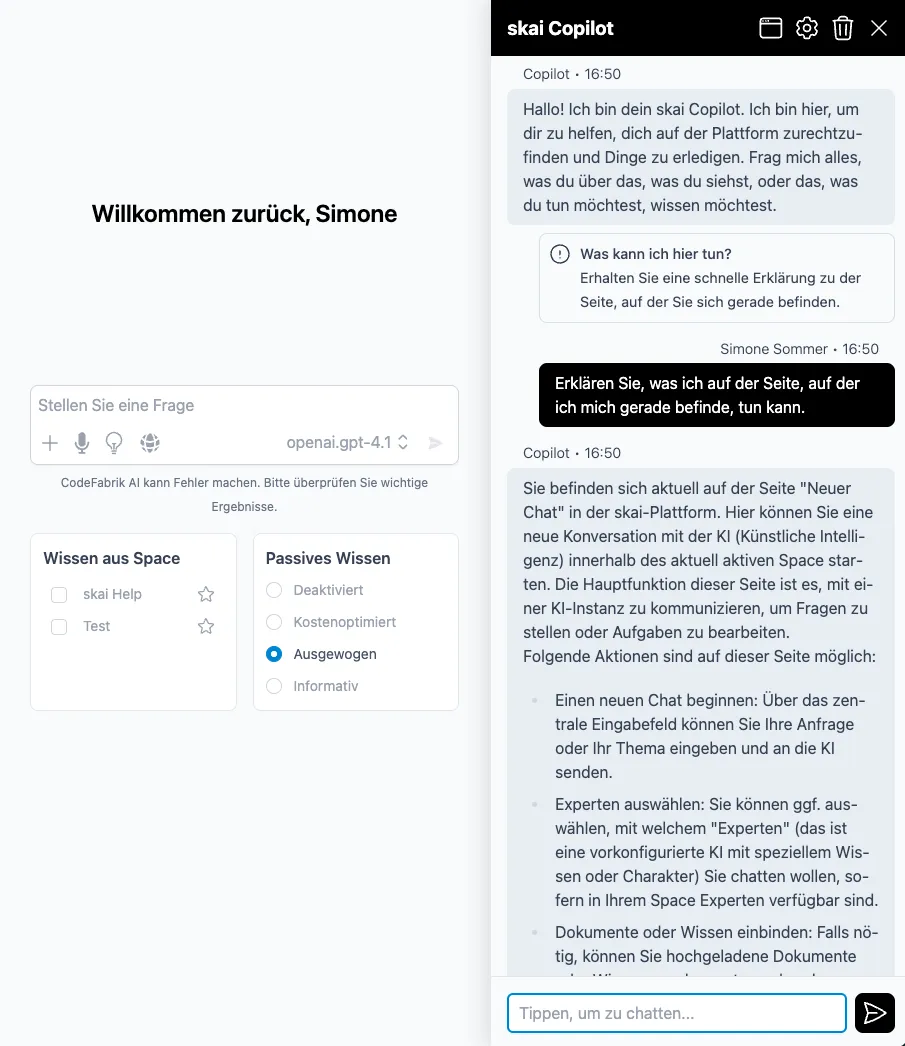
Chats and experts with source citations

Answers from your own knowledge instead of the internet: skai cites the source for every answer, from SharePoint, Confluence, PDFs and more than 20 other sources. Pre-configured experts take over recurring tasks.

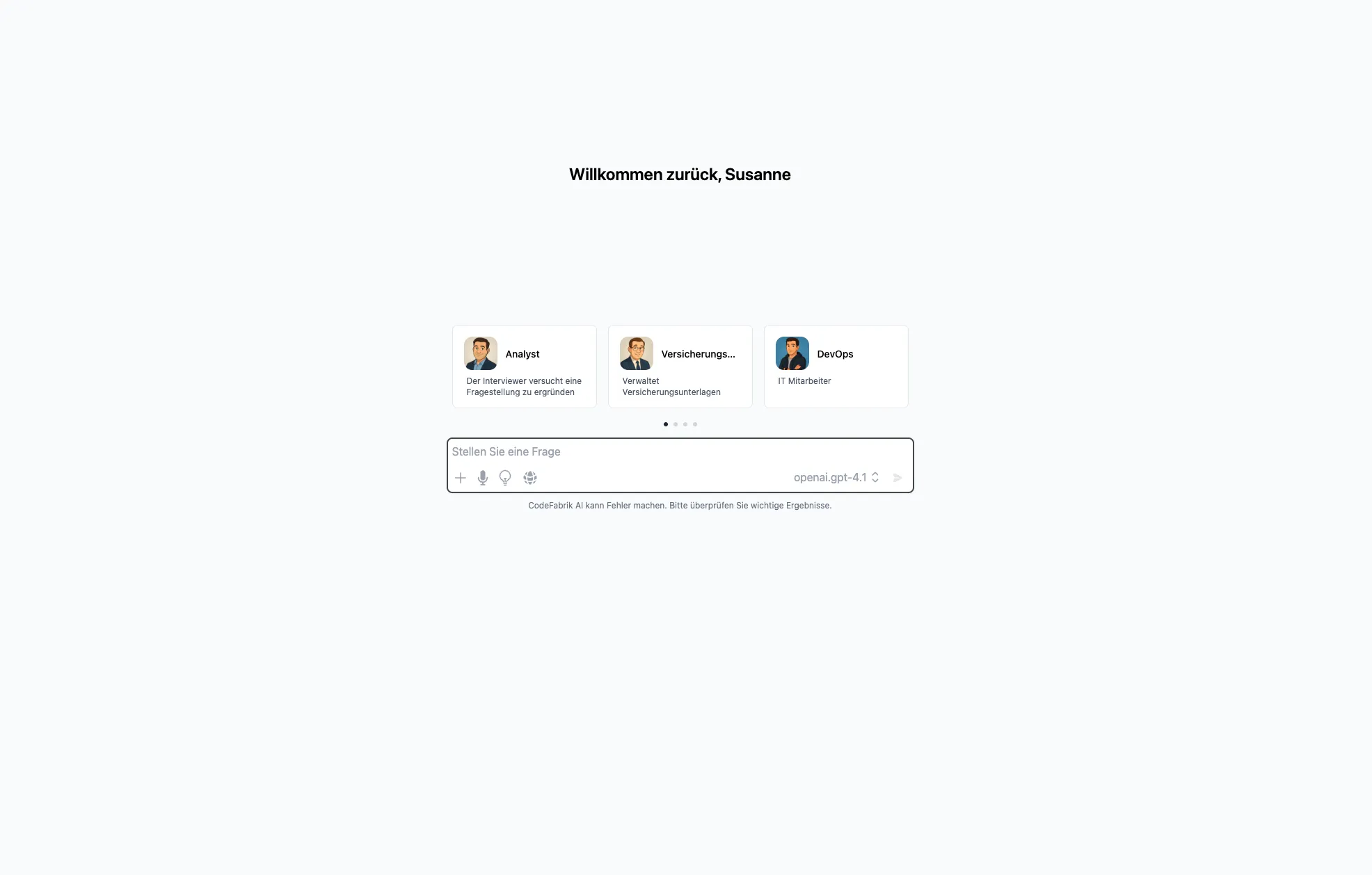
skai chat with expert selection

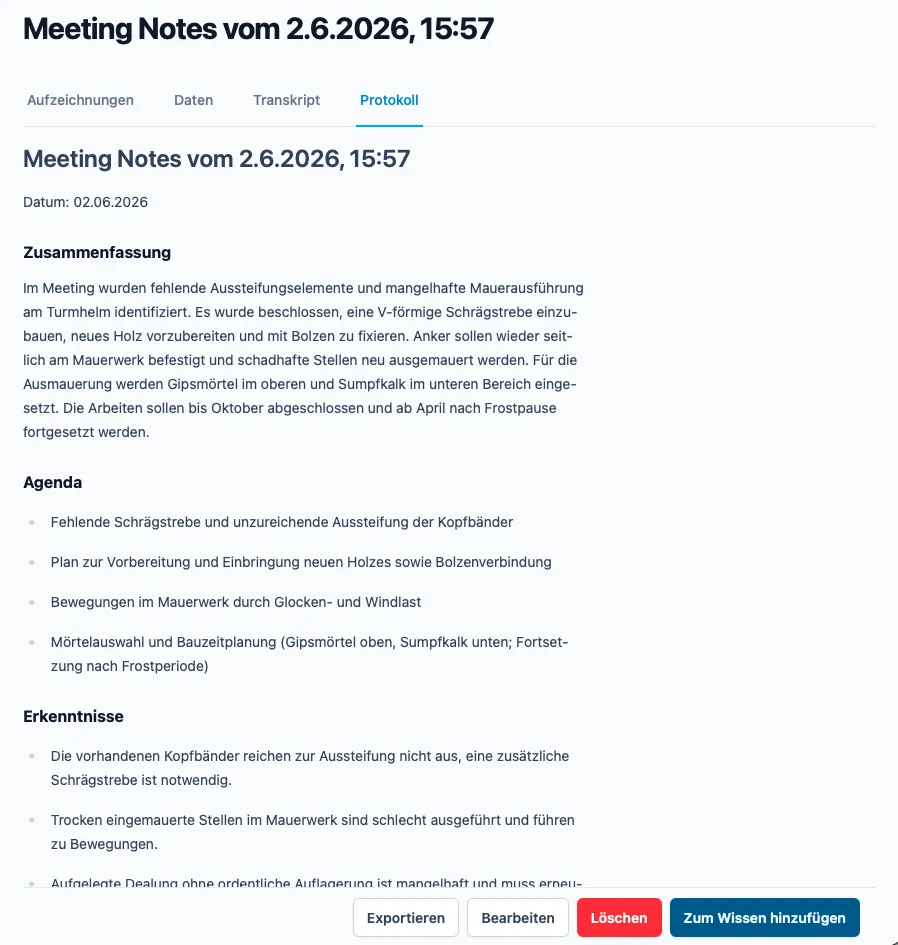
Meeting Notes

Recordings become structured minutes, with speaker recognition, a summary, decisions and tasks.

Automatically generated meeting minutes in skai

Workflows & automations

17 building blocks, four trigger types, sign-off by people: automate email triage, reports and more, without code.

  1. Trigger · Outlook Email received
  2. AI node AI classifies the request
  3. Action Send a reply or hand over to a person

Chatbot & phonebot

Your knowledge answers outward too: as a chatbot in your company branding on the website or on the phone, with hand-over to people when things get complex.

Embeddable skai chatbot on a website

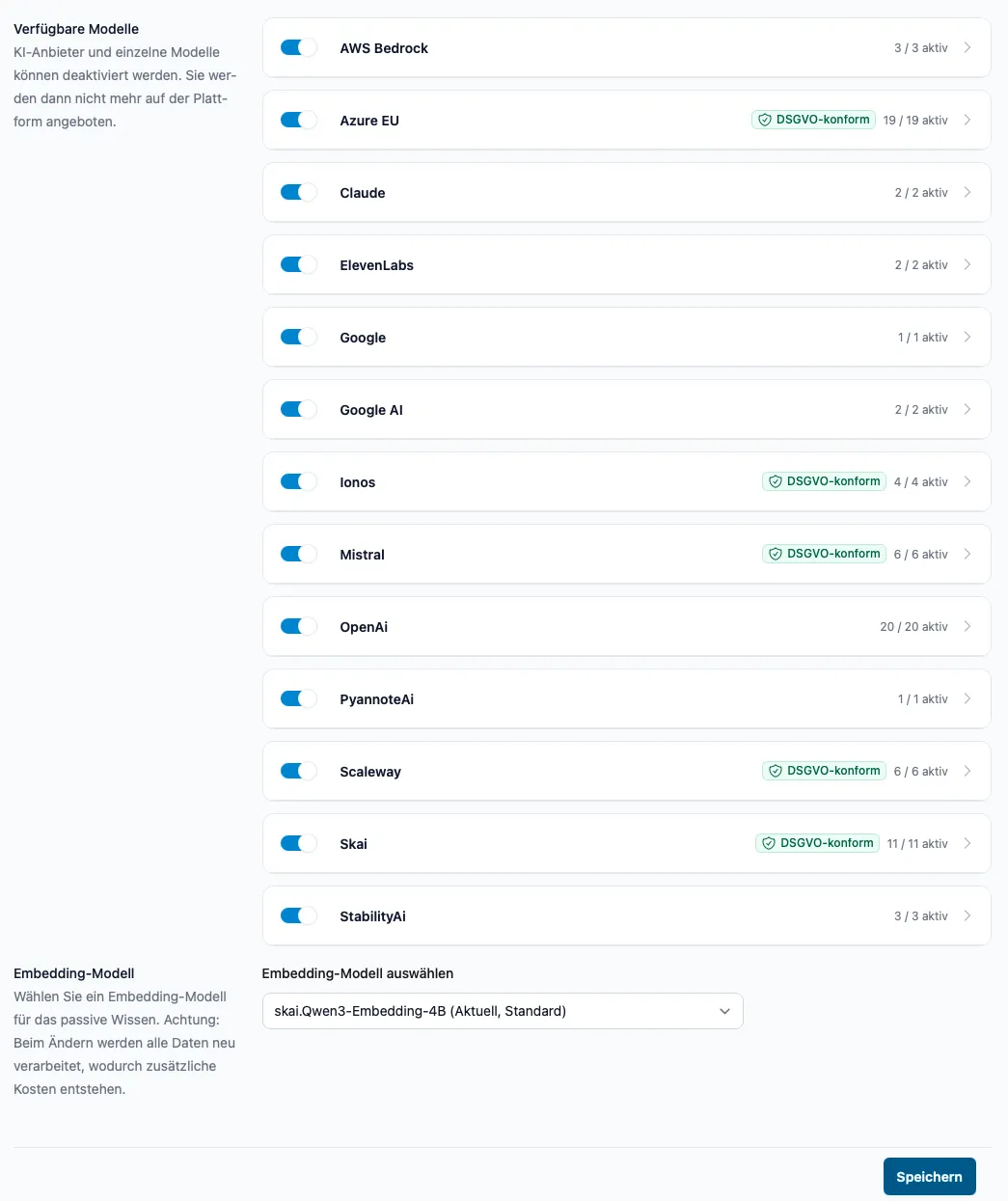
AI models of your choice

OpenAI, Anthropic, Mistral, Azure and more: the right model per task, without vendor lock-in. GDPR-compliant options included.

Selection of AI providers and models in skai

Data protection first

Your data stays your data: operated in Germany or in your own data centre, with granular access rights and complete traceability.

  • Hosting in Germany
  • On-premises possible
  • GDPR-compliant
  • Audit-proof log
  • Roles & permissions
  • Tenant separation

Exposé generator

A few key facts turn into finished long-form documents: on request, skai researches online, asks follow-up questions, structures the content and writes section by section, down to the final polish. Ideal for property exposés, product and sales material, with customisable templates.

  1. Research
  2. Outline
  3. Writing
  4. Polish
Try it now

Process consulting

We analyse your processes and show what can be automated

Not every step belongs automated, and not every automation needs AI. We map your digital workflows together, assess each step by benefit, effort and risk, and recommend the right path: with AI, with classic automation or deliberately by hand.

  1. 1

    Capture

    We record your workflows step by step, from the first enquiry to the finished result.

  2. 2

    Assess

    Each step is checked for automation potential, effort and risk, neutrally and transparently.

  3. 3

    Implement

    We automate where it pays off: step by step, measurable and together with your team.

Have your processes analysed

Process audit

Example: incoming customer enquiry

Analysis
  1. 1
    Capture & categorise the enquiry AI automation
  2. 2
    Check data & eligibility Classic automation
  3. 3
    Draft the quote AI automation
  4. 4
    Approval Human decision
  5. 5
    Dispatch & filing Classic automation

Result: 4 of 5 steps can be automated, 2 with AI, 2 classic.

  • AI automation
  • Classic automation
  • Human decision

For the public sector

skai is also available for public administration

With skai verwaltung we bring AI-supported knowledge management to German municipalities, built for the needs of modern public administration.

Discover skai verwaltung

For your website

skai is also available as a chatbot

With the skai chatbot you answer your website visitors around the clock, with real answers from your own knowledge, embedded in minutes.

Discover skai chatbot

Chat with your company knowledge

Just ask - answers with source citations

skai · Space „Company knowledge“

Ask a question

Example dialogue, simulated. In use, skai answers from your own sources and links to the references.

Integrations and knowledge sources

Connects with what you already use

  • SharePoint
  • Confluence
  • OneDrive OneDrive
  • Google Drive
  • Outlook
  • Azure Azure Blob
  • Nextcloud
  • Word
  • Excel
  • PDF
  • SQL
  • Websites
  • IMAP
  • SMB
  • Matrix42
  • Microsoft Microsoft Teams
  • Jira
  • Zendesk
  • Telegram
  • Outlook
  • Google Calendar
  • Webhooks
  • REST API
  • Website widget
  • Phone (SIP)

… and more via webhook, REST API and file upload.

One knowledge base, every channel

Maintained once. Available everywhere.

Your knowledge base answers internally in chat, on the website, in Microsoft Teams, by email, in Telegram and on the phone, always with the same content.

Chat & experts
Website chatbot
Microsoft Microsoft Teams
Outlook & email
Atlassian Jira
Phone (phonebot)
Telegram

Automation in practice

How a skai workflow works

Step 1

An email arrives

A customer writes to your inbox. The Outlook trigger starts the workflow, without anyone having to do anything.

Step 2

The AI understands the request

skai classifies the enquiry: a billing question, a standard request or a complex case? Your knowledge base provides the context.

Step 3

Routine handles itself

For standard cases, skai drafts the answer from your knowledge and sends it directly, backed by sources.

Step 4

People decide where it matters

Complex cases go to your team with a summary and a suggested reply, for approval or as a ticket. Nothing goes out without your okay.

Email received
Classify the request
Send answer with sources
Team decides & approves

Security and data protection

Your data stays your data

  • Hosting in Germany

    Operated in German data centres, or on-premises in your own infrastructure.

  • GDPR-compliant

    Data protection is the default: GDPR-compliant AI models are selectable, and your data is not used for training.

  • Audit-proof log

    Every security-relevant action is logged: who, what, when. Filterable, with configurable retention.

  • Roles & permissions

    Granular permissions and private, shared or public spaces control who sees which knowledge.

  • Tenant separation

    Strict isolation per organisation: separate knowledge sources, vector databases and logs.

  • No vendor lock-in

    OpenAI, Anthropic, Mistral, Azure and more: switch AI models at any time without migrating data.

Book a call

Customer voices

With the AI chatbot we not only improved access to information, but also increased the consistency and efficiency of our processes.
Casework team lead Social services, nationwide To the use case
The AI chatbot not only sped up our customer enquiries considerably, but also freed up our internal teams for more important tasks.
Customer service team lead Housing industry To the use case
The AI solution not only transformed our meeting documentation, but also gave us a structured basis for future projects.
Project manager Construction & real estate development To the use case
Discuss your use case

Higher productivity through AI automation

Five people in a meeting

AI-supported technologies can significantly increase the productivity of knowledge workers by supporting research tasks and recurring work.

25 %

higher productivity through faster information retrieval and automated routine work

$1.3 trillion

potential economic benefit per year

Source: McKinsey – The social economy

Good to know

Frequently asked questions

What sets skai apart from other AI business solutions?

With skai we have specialised in usability and everyday use of AI solutions for people in companies. Our work is to connect and integrate existing processes and systems so that anyone can use skai as an AI assistant.

Which companies is skai suitable for?

skai was built to support companies of any size and industry. Whether small and medium-sized businesses or large enterprises, skai adapts flexibly to the specific requirements of your company and offers solutions tailored to your needs.

Do I need technical knowledge to use skai?

No. With skai we give you a user interface that is intuitive to operate. In addition, a thorough briefing during the setup phase at the start of our work resolves any questions.

How can I try skai?

We offer you the chance to get to know skai in a no-obligation demo. Just book an appointment with us and we will show you how skai can be used in your company.

What does skai cost?

The cost of skai depends on the specific requirements and the size of your company. Contact us for an individual quote tailored precisely to your needs.

Can I adapt skai to our corporate design?

Yes. skai offers individual branding for your company: you store your organisation's logo and name in the platform, and outward-facing solutions such as the website chatbot blend into your presence. Your customers experience your brand, not ours.

Talk to us

Portrait of Stefan Henke

With skai our goal is to make AI accessible and usable. Through layers of abstraction and proven methods, we ensure intuitive use and broad accessibility.

Stefan Henke

Management

Contact form